
Twitch Badges and What They Mean
Last Updated November 17, 2021
You must become a Partner to get verified on Twitch. You will automatically get the Twitch verified badge when your Partnership application is approved. There are several global badges on Twitch. This post will teach you how to collect each of them.
While Twitch badges are basically a status symbol, they are quite fun to collect. Here is a list of the other specialty badges on Twitch and what you can do to earn them. This post will not cover Twitch Sub Badges. Instead, it will look specifically at global badges that you may encounter on any channel.
List of Twitch Badges
The following is the list of badges on Twitch that you can earn and achieve over time:
1. Twitch Verified User Badge
You must get verified on Twitch by becoming a Twitch partner in order to get the Twitch Verified User badge. This badge has a purple octagon with a checkmark in it. It is displayed by your name at the top of your screen.
Twitch released the verified badge in 2017 at the same time that the platform released their Affiliate program. It is a designation for Partners as compared with Affiliates and other streamers. If the badge is available to you, you can add it to your account in your backend chat settings.
2. Twitch Broadcaster Badge
The only way to get the broadcaster badge is to learn how to stream on Twitch and broadcast to your channel. When you type in your chat, the badge will appear. The nice thing about this badge is that you don’t have to jump through any additional hurdles to use it!
3. Twitch Chat Moderator Badge
Twitch Chat moderator badges are handed out by individual Twitch streamers for their particular channels. The best way to earn your chance at one of their badges is to be friendly and helpful in their chat. Don’t cause drama, be supportive, and follow the channel’s rules. If you are a frequent visitor and the channel is still growing, you may be asked to moderate the channel.
Find ways to support the streamer. Visit their Discord channel and see if they need any help with editing, graphics creation, or other services. Don’t be too pushy, but offer to help in any way you can. Growing channels is hard work, and if they can see that they can trust you, they will be happy for the help.
4. Twitch VIP Badge
Similar to the Chat moderator badge, the VIP badge is given out by streamers. Be a loyal viewer to their channel, follow the rules, and support them in any way that you can. Eventually, they may give you the badge. If you have been there for a month or two and have been quite supportive, you can ask them what you can do to earn it.
Twitch Founders Badge
The Founder’s badge is awarded to the first few subscribers to any given channel. If you are one of the first ten subscribers to an Affiliate channel or one of the first 25 subscribers to a Partnered channel, you will receive the badge.
Twitch released the Founders badge (also known as the “first” badge) in October 2019. You must have an active subscription to display the badge.
6. Twitch Staff Badge
The Twitch Staff badge is a black square with a wrench in it. In order to get this badge, you must work for the company. If you want to work for the world’s most popular streaming platform, then visit their careers page to see if you qualify for any open positions.
Fun Fact: the wrench is similar to the tool in the VoHiYo Emote. VoHiYo is based on Twitch mod Volary and is one of the top Twitch emotes on the platform.
7. Twitch Admin Badge
The Twitch Admin badges are given to paid viewers who a selected to moderate channels, process reports, and enforce the platform’s Terms of service. To become an admin, you must first be a global moderator.
For the chance to become a global moderator, you must work very hard on forums and other places where users seek support. If you are active, accurate in your information, and helpful, someone may approach you with the moderator opportunity. While admins are paid, global moderators are not. There is a lot of competition for both positions.
8. Twitch Turbo Badge
9. Prime Gaming User Badge
Get a Free Sub Every Month
With Prime Gaming Through Amazon Prime
You can get a Prime Gaming User badge by linking your Amazon Prime membership to your account. This will unlock several bonus features and allow you to subscribe to one channel per month at no cost.
Cheer Chat Badges
Cheer chat badges are a way for a viewer to show off the number of bits they have donated to a specific channel overall.
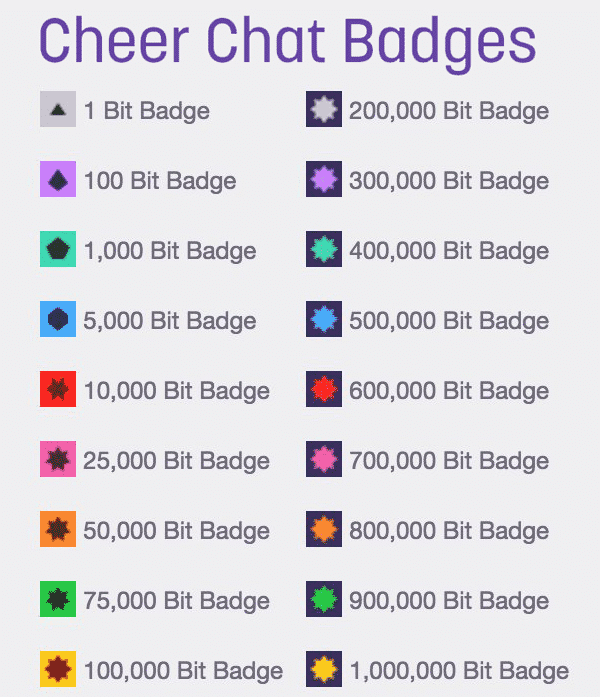
They unlock at certain thresholds, initially following the same pattern as the different cheermotes, but continuing past the 10,000 cheermote max with the next one being 25,000 bits. A chat badge can only be used in the channel where it was earned, and it will last indefinitely in that channel.
Other Global Twitch Emotes
Twitch emotes are often given out to people who attend events such as TwitchCon. You may also receive them for participating in global Twitch events. There are several unique global emotes that are no longer available to new members. The best option to learning about them when you see them is to ask the person how they got it.
Conclusion
While it is unlikely that you will receive every badge that Twitch has to offer, you are likely to pick up a few over time. To get a new badge, work toward achieving it as a goal.
Share this on

Luci is a novelist, freelance writer, and active blogger. A journalist at heart, she loves nothing more than interviewing the outliers of the gaming community who are blazing a trail with entertaining original content. When she’s not penning an article, coffee in hand, she can be found gearing her shieldmaiden or playing with her son at the beach.
© StreamScheme 2021 | Powered by StreamScheme | Our passion lies in helping up-and-coming streamers learn valuable skills. We produce quality tutorials and innovative, detailed guides that cover all aspects of the industry. We also offer a community to network with like-minded people. I hope you’ll join us for the ride.
Кто такой Саб на Твиче и что он дает: стоимость, как купить
С популяризацией стримингового сервиса в 2021 году, платформа ввела Twitch Gift Subscriptions. В нашей статье мы расскажем о том, что такое Саб на Твиче.

Что такое Саб в Твиче и что он дает
Саб в Твиче (Subscriber) — это платный подписчик. Twitch Gift Subscriptions – подарок геймера постоянному активному зрителю. Если стример видит, что какой-то из представителей его аудитории проявляет активность и не нарушает правил пользования, игрок может подарить тому пользователю подписку на его аккаунт, или же на канал любого другого стримера.
Для начинающего стримера существует партнерская программа, зарегистрировавшись в которой можно получать доход. Те, кто приносят стримеру финансы — подписчики или как именуют на сервисе сабскрайтеры. Поддержать любимые трансляции можно при помощи платной подписки prime, которая дается на месяц. Что дает:
При регистрации на сервисе предлагается оформить бесплатный период, следя за любимой игрой достаются дополнительные фишки. В кампании — получить все дополнения, нужно выполнить дополнительные условия.
Сколько стоит саб на Твиче
Где купить
Составили подробную инструкцию о покупке подписки на любимого стримера:
Вместе с Твичем — не пропустите уникальные стримы любимых игр.
Twitch Badges and What They Mean
Last Updated November 17, 2021
You must become a Partner to get verified on Twitch. You will automatically get the Twitch verified badge when your Partnership application is approved. There are several global badges on Twitch. This post will teach you how to collect each of them.
While Twitch badges are basically a status symbol, they are quite fun to collect. Here is a list of the other specialty badges on Twitch and what you can do to earn them. This post will not cover Twitch Sub Badges. Instead, it will look specifically at global badges that you may encounter on any channel.
List of Twitch Badges
The following is the list of badges on Twitch that you can earn and achieve over time:
1. Twitch Verified User Badge
You must get verified on Twitch by becoming a Twitch partner in order to get the Twitch Verified User badge. This badge has a purple octagon with a checkmark in it. It is displayed by your name at the top of your screen.
Twitch released the verified badge in 2017 at the same time that the platform released their Affiliate program. It is a designation for Partners as compared with Affiliates and other streamers. If the badge is available to you, you can add it to your account in your backend chat settings.
2. Twitch Broadcaster Badge
The only way to get the broadcaster badge is to learn how to stream on Twitch and broadcast to your channel. When you type in your chat, the badge will appear. The nice thing about this badge is that you don’t have to jump through any additional hurdles to use it!
3. Twitch Chat Moderator Badge
Twitch Chat moderator badges are handed out by individual Twitch streamers for their particular channels. The best way to earn your chance at one of their badges is to be friendly and helpful in their chat. Don’t cause drama, be supportive, and follow the channel’s rules. If you are a frequent visitor and the channel is still growing, you may be asked to moderate the channel.
Find ways to support the streamer. Visit their Discord channel and see if they need any help with editing, graphics creation, or other services. Don’t be too pushy, but offer to help in any way you can. Growing channels is hard work, and if they can see that they can trust you, they will be happy for the help.
4. Twitch VIP Badge
Similar to the Chat moderator badge, the VIP badge is given out by streamers. Be a loyal viewer to their channel, follow the rules, and support them in any way that you can. Eventually, they may give you the badge. If you have been there for a month or two and have been quite supportive, you can ask them what you can do to earn it.
Twitch Founders Badge
The Founder’s badge is awarded to the first few subscribers to any given channel. If you are one of the first ten subscribers to an Affiliate channel or one of the first 25 subscribers to a Partnered channel, you will receive the badge.
Twitch released the Founders badge (also known as the “first” badge) in October 2019. You must have an active subscription to display the badge.
6. Twitch Staff Badge
The Twitch Staff badge is a black square with a wrench in it. In order to get this badge, you must work for the company. If you want to work for the world’s most popular streaming platform, then visit their careers page to see if you qualify for any open positions.
Fun Fact: the wrench is similar to the tool in the VoHiYo Emote. VoHiYo is based on Twitch mod Volary and is one of the top Twitch emotes on the platform.
7. Twitch Admin Badge
The Twitch Admin badges are given to paid viewers who a selected to moderate channels, process reports, and enforce the platform’s Terms of service. To become an admin, you must first be a global moderator.
For the chance to become a global moderator, you must work very hard on forums and other places where users seek support. If you are active, accurate in your information, and helpful, someone may approach you with the moderator opportunity. While admins are paid, global moderators are not. There is a lot of competition for both positions.
8. Twitch Turbo Badge
9. Prime Gaming User Badge
Get a Free Sub Every Month
With Prime Gaming Through Amazon Prime
You can get a Prime Gaming User badge by linking your Amazon Prime membership to your account. This will unlock several bonus features and allow you to subscribe to one channel per month at no cost.
Cheer Chat Badges
Cheer chat badges are a way for a viewer to show off the number of bits they have donated to a specific channel overall.
They unlock at certain thresholds, initially following the same pattern as the different cheermotes, but continuing past the 10,000 cheermote max with the next one being 25,000 bits. A chat badge can only be used in the channel where it was earned, and it will last indefinitely in that channel.
Other Global Twitch Emotes
Twitch emotes are often given out to people who attend events such as TwitchCon. You may also receive them for participating in global Twitch events. There are several unique global emotes that are no longer available to new members. The best option to learning about them when you see them is to ask the person how they got it.
Conclusion
While it is unlikely that you will receive every badge that Twitch has to offer, you are likely to pick up a few over time. To get a new badge, work toward achieving it as a goal.
Share this on
Luci is a novelist, freelance writer, and active blogger. A journalist at heart, she loves nothing more than interviewing the outliers of the gaming community who are blazing a trail with entertaining original content. When she’s not penning an article, coffee in hand, she can be found gearing her shieldmaiden or playing with her son at the beach.
© StreamScheme 2021 | Powered by StreamScheme | Our passion lies in helping up-and-coming streamers learn valuable skills. We produce quality tutorials and innovative, detailed guides that cover all aspects of the industry. We also offer a community to network with like-minded people. I hope you’ll join us for the ride.
The Best Twitch Sub Badge Makers (Free & Premium)
Here are the best Twitch sub badge makers online.
Looking to create sub badges for your Twitch channel but not quite sure where to start? Well, you could get some premade templates from sites like OWN3D or Etsy, or hire a designer from a site like Fiverr to make some for you.
Alternatively, you can create your own using an online Twitch sub badge maker. Below we go through a few tools that let you create your own Twitch sub badges (also known as loyalty badges).
First, some tips for your Twitch Sub Badges:
Use the link below to jump to a specific product:
Let’s get to the list…
#1 Canva
You’ve no doubt heard of Canva before, with their tool you can create all sorts of designs such as YouTube banners, thumbnail templates, social media posts, and so much more.
What you maybe didn’t know is that they have some Twitch banner templates, and can be used for other purposes too, such as a Twitch panel maker, gaming logo maker, offline banner maker, and also as a sub badge maker.
It’s a slightly unconventional way to create Twitch sub badges, but if you use their illustrations and/or logos you can create some good-looking designs that work as sub badges.
The best part is that you can even create them for free!
How to create Twitch sub badges with Canva:
Just click the duplicate icon and the copied design will appear below the first one:
Twitch sub badges we made with Canva (for free):
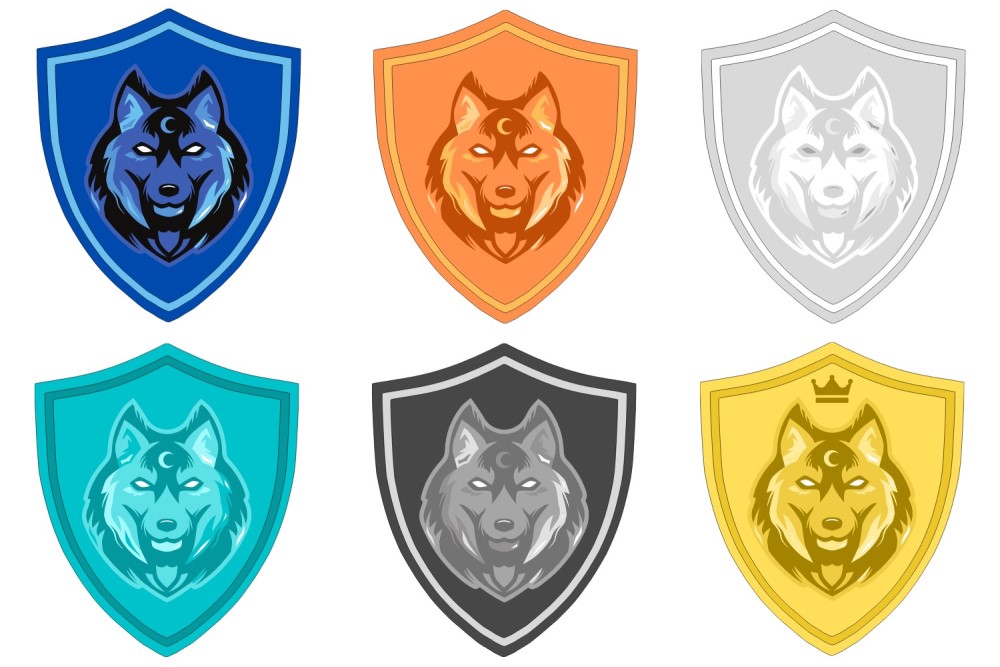
And just for fun we also made these ones:
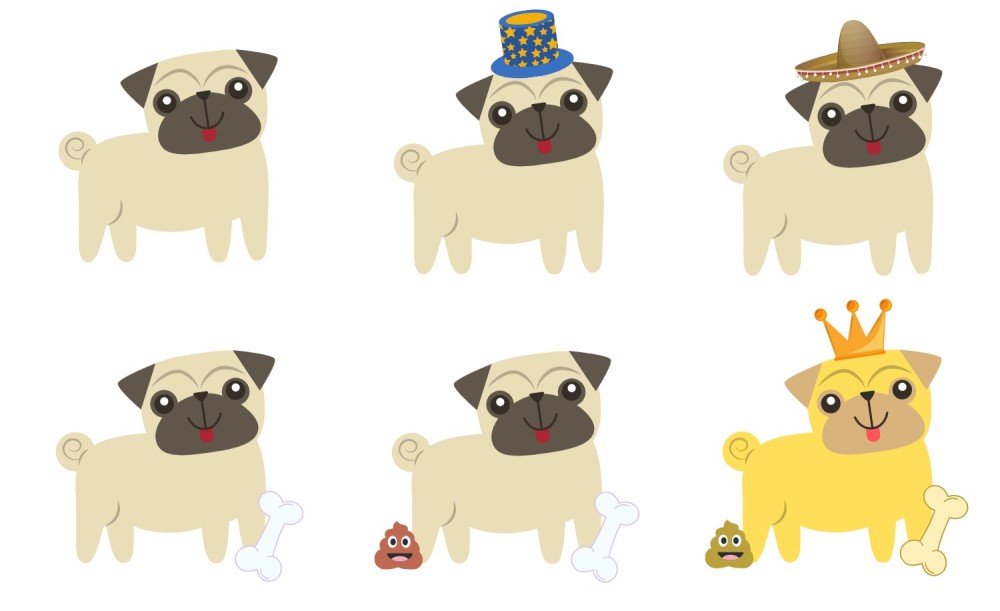
Pricing:
What we like:
#2 OWN3D Badge Maker
If you’re looking for some high-quality and professional-looking Twitch designs then you should definitely check out OWN3D. Their main offering is quality stream packages but they also offer premade sub badge templates and packs, and a Twitch sub badge maker too.
The sub badge maker is super simple to use, and you can very quickly create something that looks decent for your Twitch channel.
However, the customization options are currently fairly limited, and the icons are common clip art so hopefully, they can add more elements and graphics to the tool.
How to Make a Sub Badge with OWN3D:
Pricing:
What we like:
#3 Crello
Crello is a very similar tool to Canva. It’s an online design tool that has a logo maker, YouTube thumbnail maker, YouTube banner maker, and so much more!
They even have some templates for Twitch too including profile banners and offline banners.
You can also create Twitch sub badges with Crello but like with Canva it’s a slightly unconventional method that can produce so good designs if you put a bit of time into it.
It’s possible to create some good designs with a free Crello account as you get 10 downloads per month with their free ‘Starter’ account.
The process of creating the designs is also very similar to Canva!
How to create Twitch sub badges with Crello:
Twitch sub badges we made with Crello (for free):
And just for fun we also made these ones:
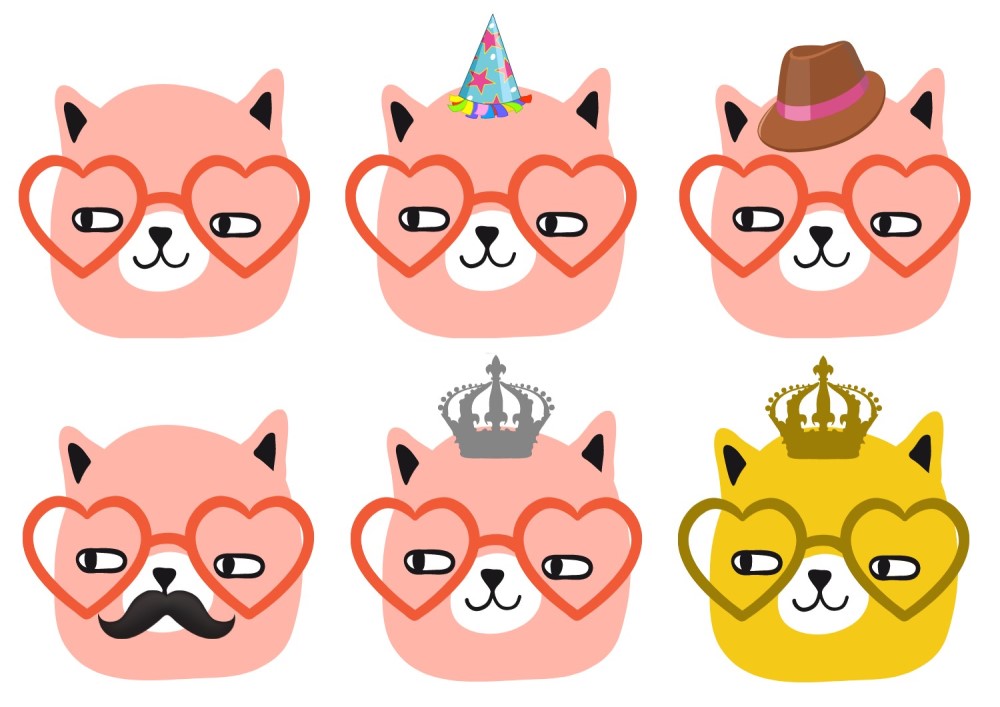
Pricing:
What we like:
#4 EmotesCreator: Twitch Sub Badge Maker
If you don’t have the design skills to create your own Twitch sub badges using a tool like Adobe illustrator but you still want to create your own then EmoteCreator’s Twitch sub badge maker could be a great option for you.
Like their Twitch emote maker, the tool is incredibly easy to use. You simply choose the elements you want for your twitch sub badge, customize the colors, and download. It only takes a few minutes to make something that looks good!
The only downsides are that the customization options are fairly limited, and they currently don’t offer a huge range of different elements. We’re hopeful they’ll continue adding more and more quality design elements and customization options though.
It would also be good if they added the ability to create sets of badges rather than create each one individually – but this is something we think they’re adding soon.
Top 21 Twitch Sub Badges To Spice Up Your Streams

Looking for the top Twitch sub badges? You’ve come to the right place. In this blog post, we’ll share 21 of the best Twitch sub badges available today. But first, what is a sub badge? Twitch sub badges are small icons that appear next to your name when you’re chatting in Twitch streams. By default, Twitch offers its own set of subscriber badges that are available across all channels, unless the streamer you’re following has created their own custom badges.
Interesting fact, earlier on, Twitch only made the option of customizing your subscriber badges available to partners. The good news is, today, affiliates are able to create their own custom Twitch badges.
How Twitch Sub Badges Work
Depending on your status (affiliate or partner), you can offer viewers access to badges that hold a certain significance. As an affiliate, your sub badges change depending on how long a subscriber has stayed with your channel. There are six time frames which are base (new subscribers) two months, three months, six months, nine months, and one year. As a partner, sub badges range all the way up to eight years and badges automatically change depending on how long you’ve been following a Twitch stream.
Why The Difference Between Affiliate And Partner Sub Badges?
Twitch offers an affiliate and a partner program. These programs are built to help grow Twitch as a brand and platform, attracting gamers who build audiences. Transitioning from a newbie (streamer) on Twitch to full-time gamer earning an income isn’t easy. First, you need to build your channel size. If you’re a streamer, you have to have at least 50 followers, and at least 500 minutes in total broadcast time lost 30 days.
Becoming a partner, however, isn’t that clear. Not much is available online on exactly what you need to do. There is a lot said about what affiliates might need to do to earn partner status. For example, improve the quality of your stream by providing better quality sound, overlays, and ensuring you have a steady and fast Internet connection. Some sources say you should also be more social, in a sense contributing to the Twitch community. Once qualified as an affiliate, and you feel ready to take the next step, you need to submit an application to Twitch.
Becoming a partner also means more perks. You’re able to offer more than just additional badges. You can give your audience custom cheermotes, unlock up to 50 sub emotes, and receive up to 60 days worth of video-on-demand storage. You also get up to 15 minutes worth of stream delay, will be paid within 45 days, receive payout fee cover from Twitch, get a verified channel badge, and access to priority partner support.
Now that you have an understanding of what Twitch sub badges are, how they work, and a little on how you can qualify for them, let’s take a look at the top 21 badges we’ve found on Own3d.
Top 21 Twitch Sub Badges:
Finding the most popular Twitch sub badges is no simple feat. There is no way of determining which some badges are used most. So we decided to create a top 21 list based of badges that evoke a sense of nostalgia. Our list includes some of the most popular throwbacks to your favourite TV series, popular games, and all-round favourite things. Here’s our list in no particular order.
Medals
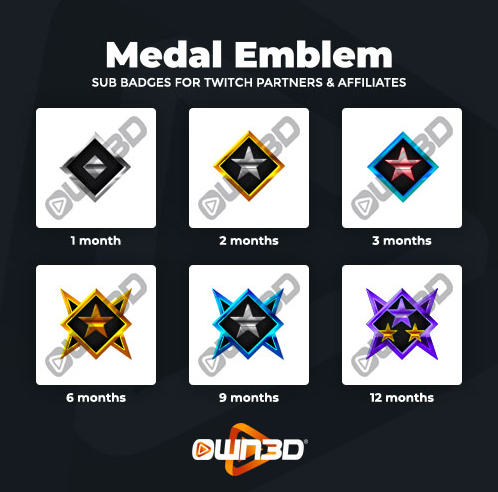
Nothing says achievement like a medal. This collection of sub badges includes six for subscribers. As you’ll note with all badges we showcase, the longer a subscriber stays with your channel, the more attractive the design of the badge becomes. The Medal Emblem badge is a perfect complement for streamers stream first-person shooter or military games.
Shuriken
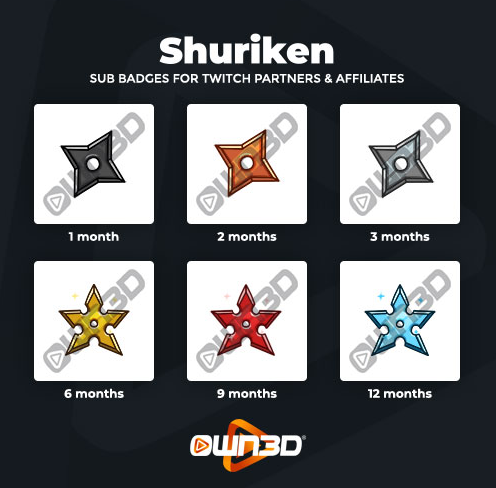
A Shuriken is a Japanese weapon often referred to as a throwing star. When wielded, it can be a deadly weapon. This combination of Shuriken badges is ideal for any channels that stream hand-to-hand combat games.
Fortnite Lama
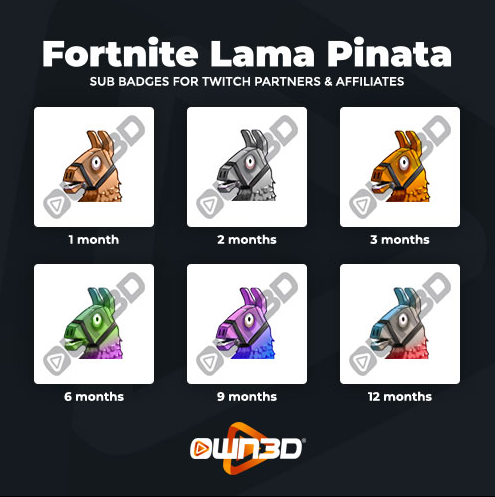
Since 2017, Fortnite has taken over the world. It’s one of the most popular online games, making it one of the easiest to create a sub badge for. The Fortnite Lama Pinata is a more than appropriate nod to the game, and definitely the collection badges Fortnite fans love to get their hands on.
Insignia
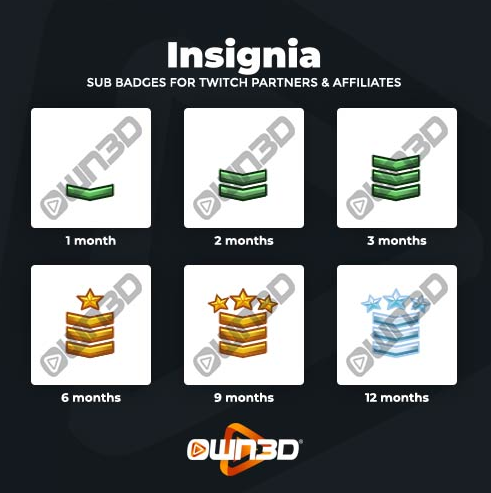
Like medals, insignia scream achievement. When seen, most people automatically associate insignia with rank, and this collection of six insignia badges does a good job of distinguishing rank. If your channel streams military combat games, your subscribers will love these.
Pokemon Ball
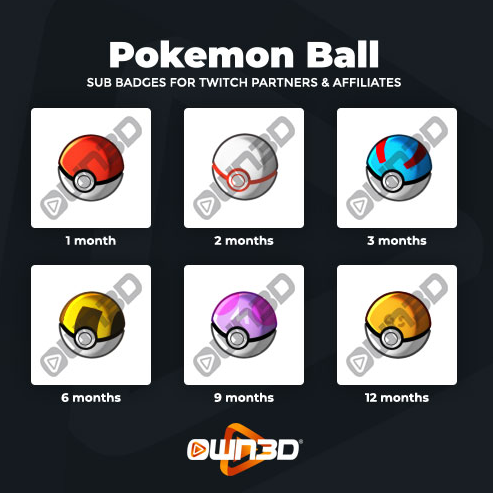
While some may find this hard to believe, Pokémon has been around for over two decades. What most also may not know, is that the game was also released in 1996 in Japan and for the Game Boy. Fast-forward to today, and Pokémon is still as memorable and powerful a brand as ever. If you want to strike a sense of nostalgia with your subscribers, the Pokémon Ball badge is sure to make them feel right at home on your channel.
Pikachu
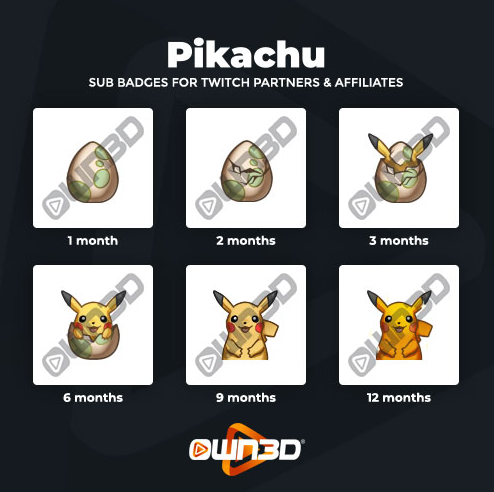
Are you a bigtime Pokémon fan? If so, you’ll need very little convincing to offer this collection of Pikachu badges to your subscribers. Pikachu is the most memorable character from the franchise, stealing the hearts of millions of fans across the globe. And in true form, this collection of badges shows Pikachu’s development from egg through to hatchling.
Beer
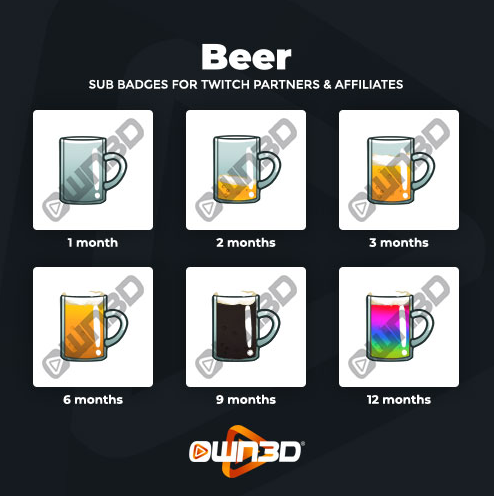
Do you have a more mature audience on Twitch? Do they like beer? While it’s hard to pinpoint the exact year that beer was created, everyone knows exactly what a beer mug looks like. This collection of six beer mugs is sure to be a fan favourite. Like the Pikachu hatchling, the very first month is signified by an empty beer mug that fills up and changes colour on your subscriber’s journey to their 12th month anniversary.
Burger
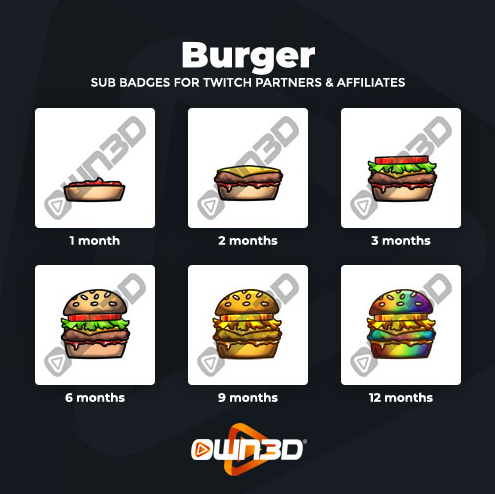
It’s no surprise that a burger sub badge collection would make a list. According to Eat This, Not! it’s rated as the number one fast-food item in the world. As a sure fan favourite, it would make for a fun sub badge for subscribers of all ages.
Mario Mushroom
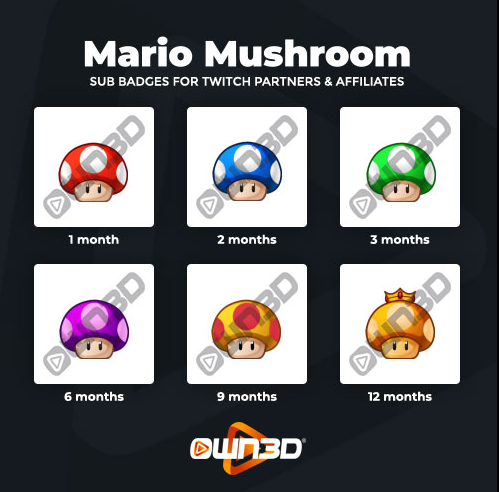
Not much needs to be said about this collection. If you have been around within the last 30-something years, you can immediately spot that these mushrooms are a very strong resemblance to those from Super Mario Bros. These are the perfect throwback to all the fun your subscribers remember having with the game.
Skull “CoD”
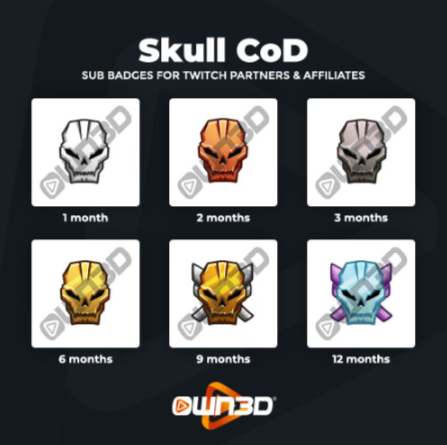
If you’re on Twitch there’s a good chance that you’ve heard of Call of Duty. Since its release in 2003, the game has transformed from World War II maps and gameplay to futuristic worlds. CoD fans will undoubtedly spot the popular skull and appreciate it.
Poopy
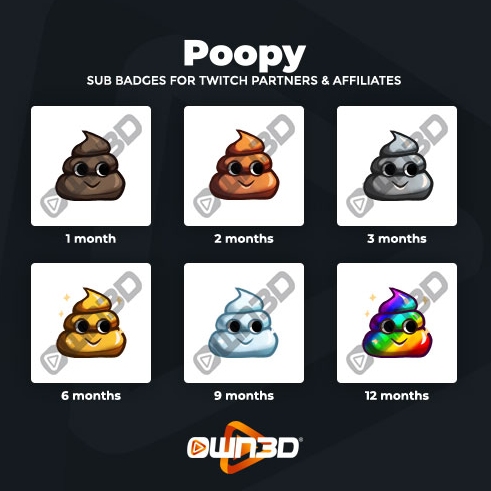
Poopy is one of the more modern and recognizable badges to make a list. With its origin as an emoji, it definitely gets a facelift as a Twitch sub badge. While it could be used for audiences of varying ages, it would be most understood by an older crowd as it’s often used to convey disappointment with the hint of whimsy.
Unicorn
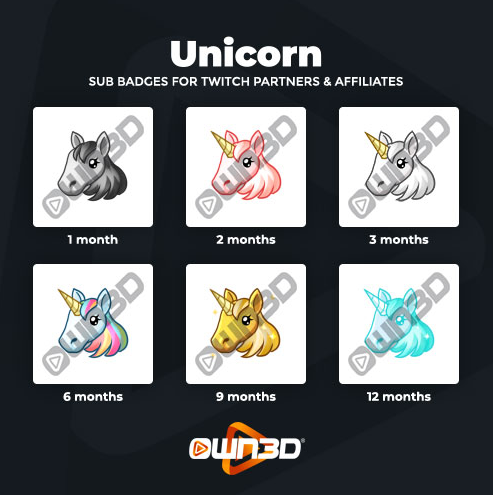
Unicorns may not be real but they’re still a fan favourite. These six unicorns are ideal for affiliates and partners who stream fantasy games. What makes the unicorn badge particularly attractive is the transition subscribers make. In the first month, they receive what appears to be a horse badge. By month two, what once looked like a horse transforms into a unicorn.
PUBG Level3 Helmet
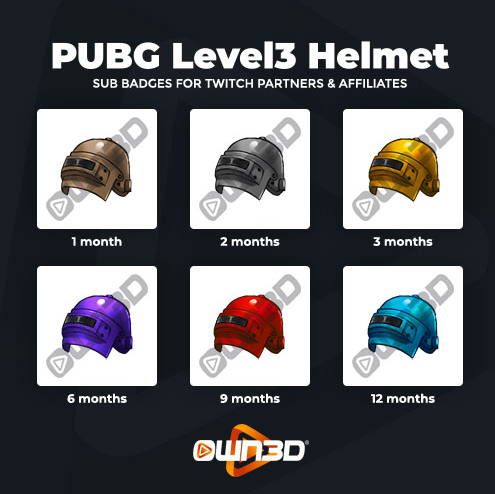
PUBG is one of the most lauded online multiplayer battle royale games today. And if you’ve ever heard of the title, there’s a good chance you’ve caught a Twitch stream and easily recognize the unmistakable PUBG helmet. Want to excite your fans? This PUBG Level3 Helmet sub badge pack will do the trick.
Gameboy
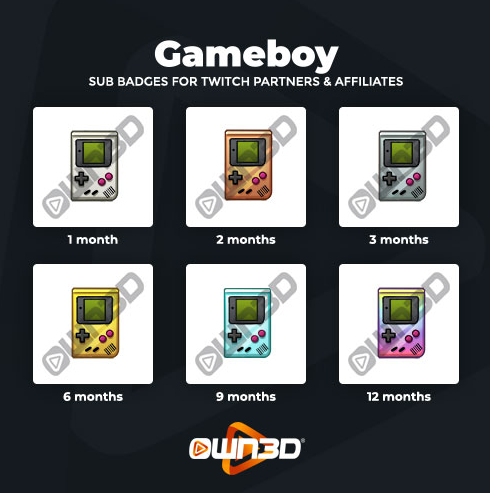
The Game Boy was first released in Japan in 1989, and in a few years, took over the world. It was one of the most exciting developments in handheld gaming and a sub badge that’s sure to strike a chord of nostalgia with older audiences.
Overwatch
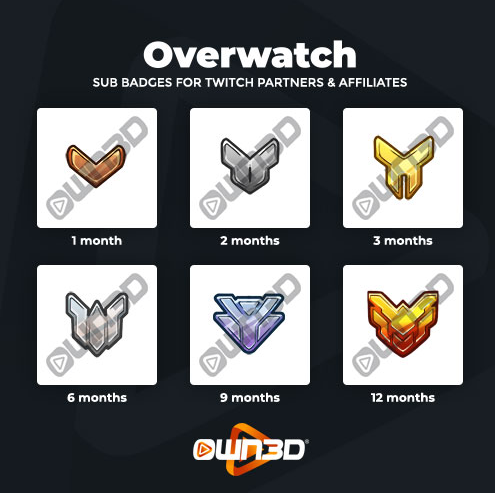
Overwatch is a team-based shooter set on a futuristic version of earth. It’s a popular PlayStation 4, Xbox One, Nintendo Switch, and Windows release. These badges are a throwback to the popular multiplayer, something avid multiplayer gamers are sure to gush over.
Doughnut
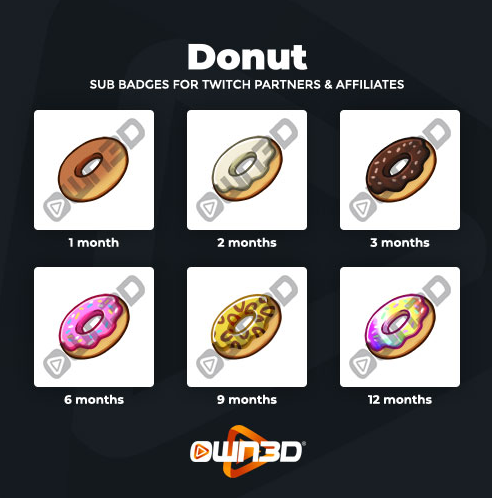
Foodie? While most Twitch channels are dedicated to gaming, other categories are beginning to fill out. Food and drink are two of them. If you are streaming your food-related creations, nothing says indulgence like a doughnut.
Super Mario
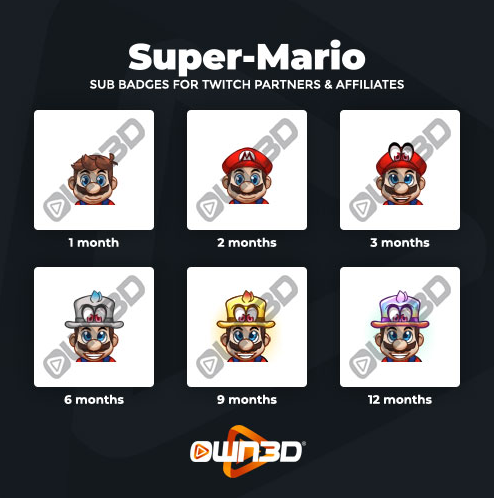
Everyone loves Super Mario. Depending on who’s list you go by, Mario usually features in the top five of the most recognizable gaming characters in the world. This badge pack features six versions of Mario evolving from what looks like an almost familiar face in month one to him donning his world-renowned red hat.
Sushi
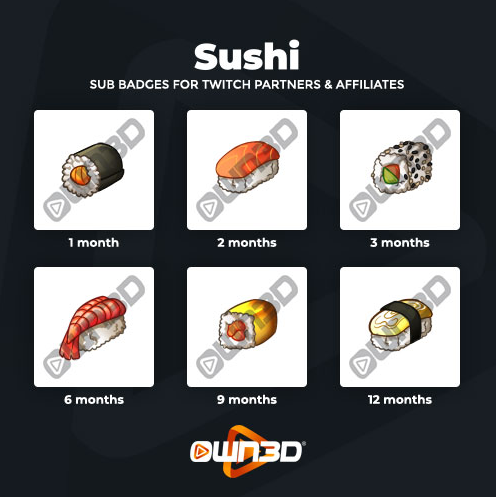
There’s something special about sushi. Beyond its heritage, it holds a special place in the hearts of food lovers the world over. While you could use this set of six sushi badges on a food channel, it could also be used to identify you and your subscribers as streamers with unique taste.
Trophy
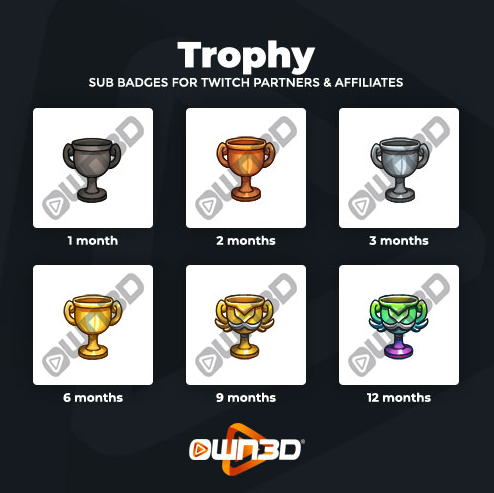
Like medals and insignia, trophies are some of the more obvious badges to offer your subscribers. And that’s absolutely okay. Trophies are powerful symbols of success through adversity. While watching your stream may not equate to pain and suffering, being rewarded with a trophy for sticking it out as a subscriber is still well worth it.
Roman Numerals
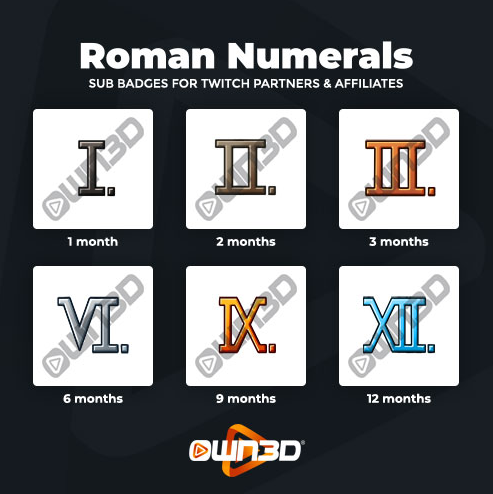
Roman numerals aren’t the first thing you think of when it comes to badges, but they are effective. They are an easy way to spot the length of time a subscriber has spent following you on Twitch. While you might not think it to look at them, the visual representation through numbers does more to reinforce appreciation in the hearts and minds of your subscribers.
GOT Stark
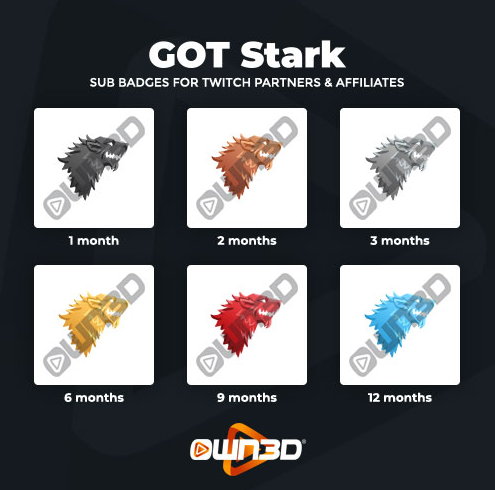
Wrapping up
Twitch some badges are a must for affiliate and partner channels. They’re a way of saying thank you to your subscribers with their patronage and motivating them to continue to join you on your journey. As you choose your sub badges, go for something that’s a unique trait or identifier that your audience resonates with. After all, Twitch is all about community and fun, so have at it.
Stay up to date with all things Creator focused. We cover the best new tools & platforms to help you succeed. Success stories from other creators. Receive exclusive content you won’t find anywhere else other than our Creator newsletter.